Code: GIFT Save 10%

Your Home’s Biggest Hidden Sources of EMF Exposure Might Surprise You
When most people think about EMF exposure, they immediately picture cell phones or nearby cell towers. But some of the sources we spend the most time around may actually be much closer, right inside our own homes.
WiFi routers, smart TVs, laptops, tablets, gaming systems, Bluetooth devices, wireless security equipment, smart appliances, and other connected electronics have become part of everyday life. Many of these devices communicate wirelessly throughout the day, and some remain active around the clock.
You don’t necessarily have to give up modern technology to become more aware of your wireless environment. Sometimes the most practical approach is simply understanding where your strongest sources are, increasing distance when possible, and reducing signals you don’t need.
Common Sources of EMFs Inside the Home
A modern home can contain dozens of sources of electromagnetic fields. Some are obvious, while others are easy to overlook.
Your WiFi router is one of the most consistent sources because it can remain on 24 hours a day. Cell phones, tablets, computers, smart televisions, gaming systems, Bluetooth accessories, baby monitors, wireless security cameras, smart speakers, appliances, and other connected devices can all contribute to the overall RF environment.
This doesn’t mean every device creates the same level of exposure. Distance, transmission power, frequency, placement, construction materials, and how frequently a device communicates can all affect what you actually measure in a particular location.
That’s one reason we encourage people to measure rather than guess.
Why Your Bedroom Deserves Special Attention
Think about how many uninterrupted hours you spend in your bedroom each week.
For many people, it is one of the longest periods spent in one location. Yet phones may be charging on nightstands, smartwatches may remain connected, televisions and streaming devices may be nearby, and a WiFi router may be operating in the bedroom or just on the other side of a wall.
One of the simplest ways to begin reducing unnecessary exposure is to look at what is around your bed.
Consider moving phones and other electronics farther away, using Airplane Mode when appropriate, turning off wireless equipment when it isn’t needed, and avoiding placing a router directly beside a sleeping area.
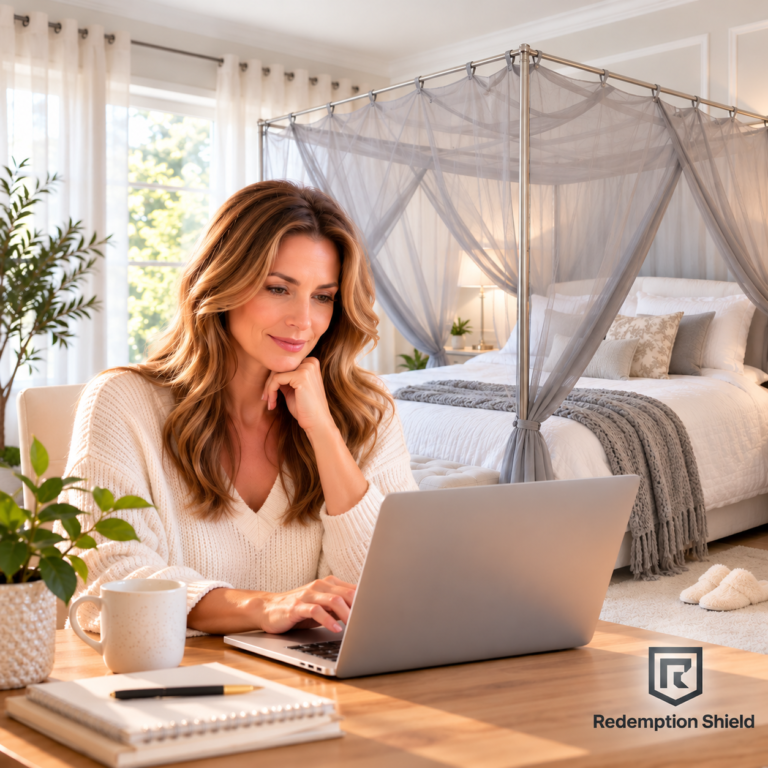
For homes with higher RF readings around the bedroom, additional shielding may also be worth considering. Redemption Shield offers EMF shielding bed canopies designed to reduce RF entering the sleeping area.
What About Today’s Higher-Frequency Routers?
Wireless routers are changing, and some newer units now operate across additional and higher-frequency bands than the traditional WiFi routers many people have in their homes.
Older home WiFi systems commonly relied on 2.4 GHz, with later generations adding 5 GHz. Newer equipment can also use the 6 GHz frequency band, adding another frequency range to an already increasingly wireless home environment.
For people who are actively trying to reduce unnecessary RF exposure, this deserves attention, especially when deciding where a router should be located.
A router is often left operating 24 hours a day, communicating with phones, televisions, computers, gaming systems, security equipment, appliances, and other connected electronics. We believe it makes sense to pay particular attention to an always-on RF source when it is located near a bed or another area where you spend many uninterrupted hours.
Higher frequency does not automatically mean higher RF power or greater exposure. Those are different measurements. However, as wireless technology expands into additional frequency bands and more devices remain continuously connected, we believe there is good reason to become more aware of your wireless environment rather than simply ignoring it.
Distance is one of the easiest places to start. If possible, don’t place a router directly beside your bed or sleeping area. Move it farther away, turn wireless equipment off when it isn’t needed, and measure RF levels if you have a meter.
Using a Router Guard With Stronger and Older Routers
One thing we’ve noticed is that newer, strong signal routers can sometimes maintain a usable connection even when a Redemption Shield Router Guard is completely lowered.
The purpose of the shielding is to reduce the RF signal traveling outward. Depending on the router, its placement, your home’s construction, and the devices you’re connecting, enough signal may remain for your electronics to continue working.
Older or weaker routers may behave differently.
With some older routers, putting the cover completely down can reduce the signal enough that phones, televisions, computers, or other electronics lose their WiFi connection.
If that happens, slightly lift the cover until your electronics reconnect.
You don’t have to expose the entire router. Raise the cover gradually and find the sweet spot, enough signal for the electronics you need while keeping as much of the router shielded as practical.
This is also why we don’t recommend judging shielding effectiveness solely by whether your phone still has WiFi. A device may maintain a connection even though the RF level has been substantially reduced.
Measuring Is Better Than Guessing
You can’t see RF energy, and watching the WiFi bars on your phone doesn’t tell you exactly what your RF exposure is.
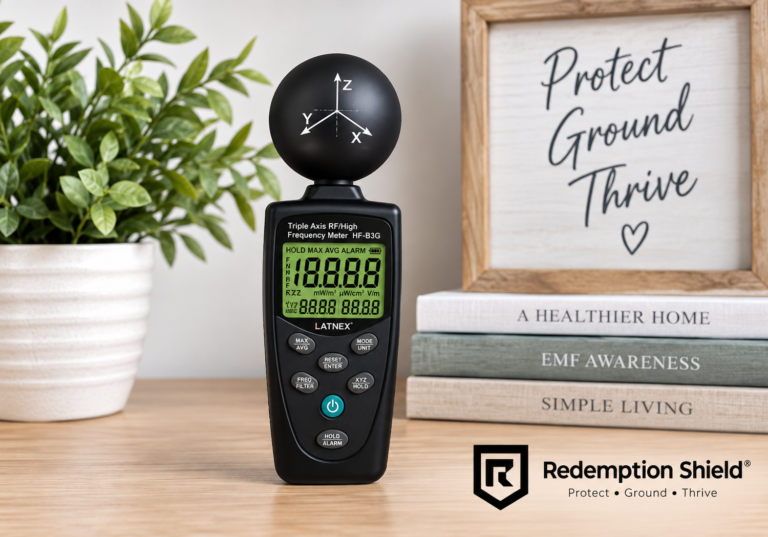
A good RF meter gives you much more useful information.
Take measurements before making changes, then measure again afterward. Check around your bed, couch, office, children’s rooms, and other places where family members spend significant amounts of time.
You may discover that the source you were most concerned about isn’t producing your highest reading—or you may find an unexpected source you hadn’t considered.
Measurement allows you to make changes based on your actual environment instead of assumptions.Reduce RF Radiation and EMF Exposure in Your Home
Reducing exposure doesn’t have to mean disconnecting your entire house.
Start with distance. Instead of placing a phone against your body or sleeping with it beside your pillow, move it away when practical. Consider using speakerphone or an air tube headset for longer conversations. If a device doesn’t need Bluetooth or WiFi at the moment, you can turn that feature off.
Hardwired connections can also be useful in locations where wireless connectivity isn’t necessary.
At night, look at what actually needs to remain connected. You may find that several devices are transmitting simply because they’ve always been left on.
Small changes throughout the home can help you create a more intentional wireless environment without eliminating the technology you rely on.
What About Grounding?
Grounding and RF shielding are different approaches and shouldn’t be confused with one another.
A grounding sheet or mat isn’t a replacement for RF shielding. Likewise, shielding a router doesn’t ground your body.
Some people choose to incorporate both approaches into their home environment for different purposes.
Redemption Shield carries a selection of grounding sheets and grounding products for customers who want to incorporate grounding into their home or sleeping environment.
Shielding Solutions for Different Areas of Your Home
There isn’t one product that makes sense for every home or every source.
Depending on what you’re trying to accomplish, shielding options can include bed canopies, shielding fabrics, blankets, Faraday bags, router shielding, EMF protective clothing, and other products designed for specific applications.
The important part is understanding what you’re trying to shield and where the exposure is coming from before choosing a solution.
You can browse Redemption Shield’s complete selection of EMF shielding and grounding mats to compare solutions for different areas of your home and everyday life.
Creating a Lower EMF Home
Technology is continuing to change. Our routers are becoming faster, our homes are becoming more connected, and more everyday products are being designed to communicate wirelessly.
That makes awareness increasingly important.
Look at where your wireless equipment is located. Consider how close it is to the places where you sleep, work, and relax. Turn off unnecessary wireless functions when practical. Increase distance from transmitting devices. And when you want to know what’s actually happening, measure.
You don’t have to change everything at once.
Start with the areas where you spend the most time and make practical changes that allow you to continue using the technology you need while reducing unnecessary exposure where possible.
Gina’s Thoughts
As someone who has spent years learning about EMFs and helping people find ways to reduce unnecessary exposure in their homes, I pay close attention to how quickly wireless technology is changing.
What concerns me isn’t simply that newer routers can use additional frequency bands. It’s that we continue adding more wireless technology to our homes, often without thinking about where these devices are placed or how many hours a day they are transmitting.
I don’t believe we need a strong wireless signal reaching every corner of our homes 24 hours a day, especially our bedrooms. If a router is sitting on the other side of your bedroom wall, beside your bed, or near an area where your family spends hours every day, I think it’s worth knowing what your RF levels actually are.
That’s why I always come back to three things: distance, reduction, and measurement.
Move wireless equipment farther away when you can. Turn it off when you don’t need it. And if you’re concerned about your environment, use an RF meter so you’re making decisions based on what is actually happening in your home.
When using our Router Guard, don’t assume the cover has to be completely closed for it to be useful. Newer, stronger routers may continue working with the cover fully lowered, while an older or weaker router may lose its connection. If that happens, simply raise the cover a little at a time until you find the sweet spot where your devices still work while keeping as much shielding around the router as practical.
For me, EMF awareness isn’t about getting rid of technology. It’s about having more control over how we use it, where we place it, and how much unnecessary exposure we allow into the spaces where we live and sleep.
Gina Paeth
Founder & CEO, Redemption Shield®
Protect • Ground • Thrive.
#EMFProtection #EMFExposure #EMFShielding #EMFAwareness #EMFSafety #WirelessRadiation #WiFiRadiation #RouterRadiation #RFExposure #RFRadiation #RadiofrequencyRadiation #WiFiRouter #RouterGuard #EMFRouterGuard #WiFiShielding #HomeEMFProtection #BedroomEMF #ReduceEMFExposure #ReduceWiFiExposure #EMFEducation #WirelessTechnology #HealthyHome #EMFProducts #EMFSolutions #RedemptionShield